Open a New Ticket
-
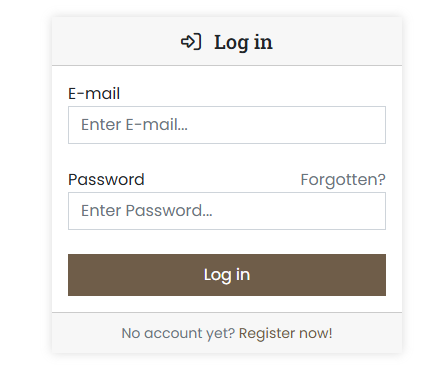
Log in to our customer portal at https://cp.servercow.de using your login credentials:
-
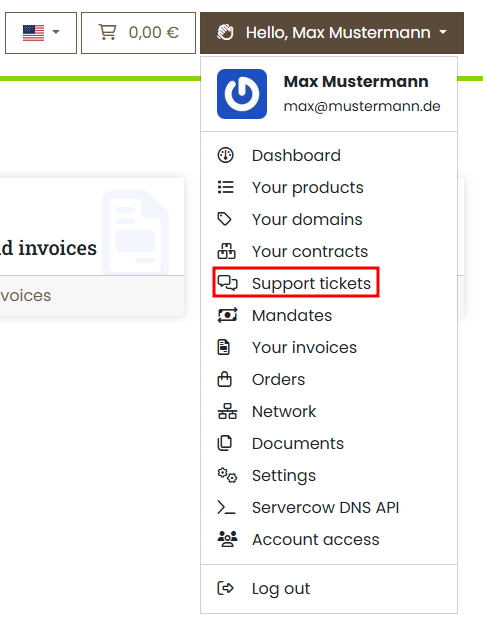
Once logged in, click the button with your customer name in the top right and then select Support tickets from the dropdown:
-
You will now see an overview of your previous tickets (if any). Click the Create enquiry button in the top right.
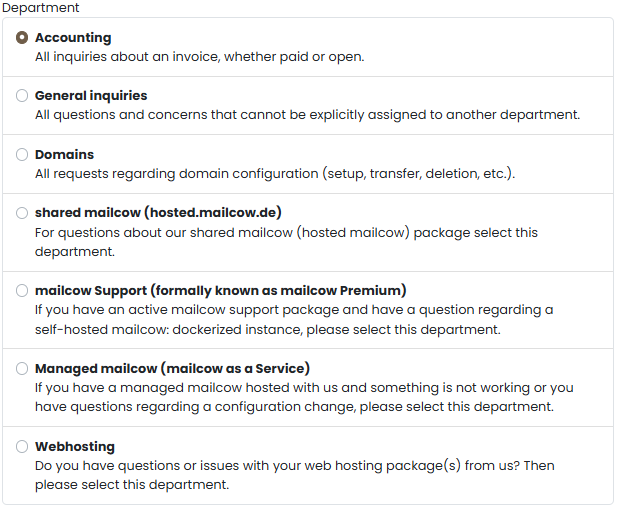
Then select the appropriate topic for your issue from the list:
-
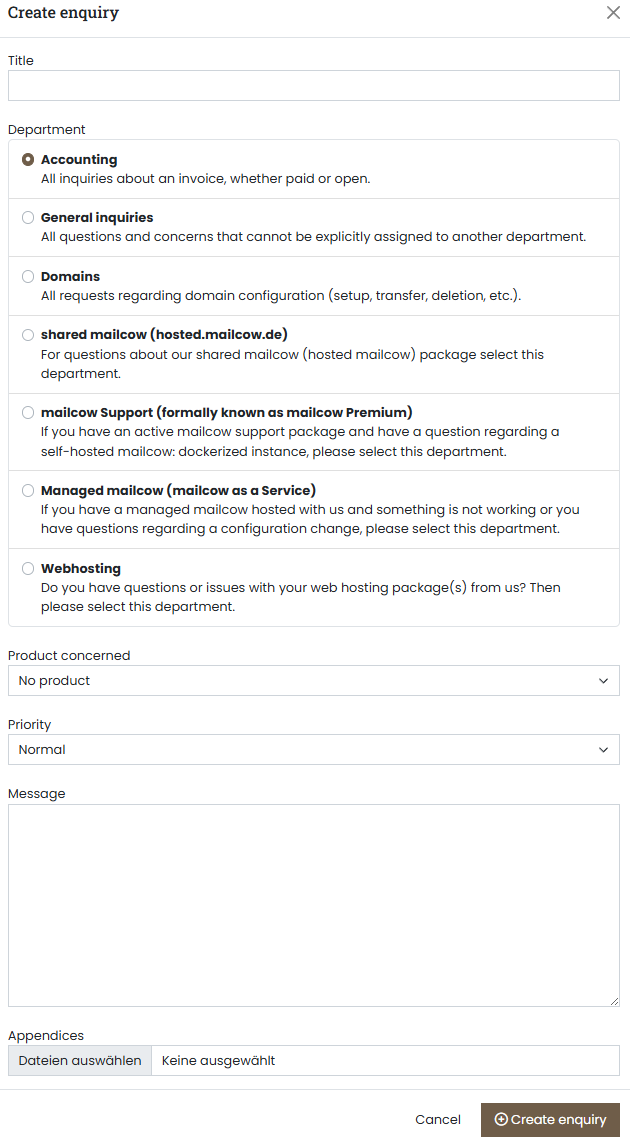
Now write your ticket to us, including the following content:
- Title of your issue
- The department the ticket is addressed to
- (Optional) The affected product or service
- The priority as you estimate it
- Details about your issue, e.g. error descriptions, etc.
- (Optional) Upload an attachment
- Submit the ticket as the last step
Success
You have now sent us a ticket. We will take care of it as quickly as possible and notify you by e-mail as soon as there are updates.
Note
We try to process your requests as quickly as possible. However, we reserve the right to reassess the ticket priority you set and, during high load, to prioritize differently.